Using Templates
Save, apply, and manage reusable account configuration templates.
1
Create a Template
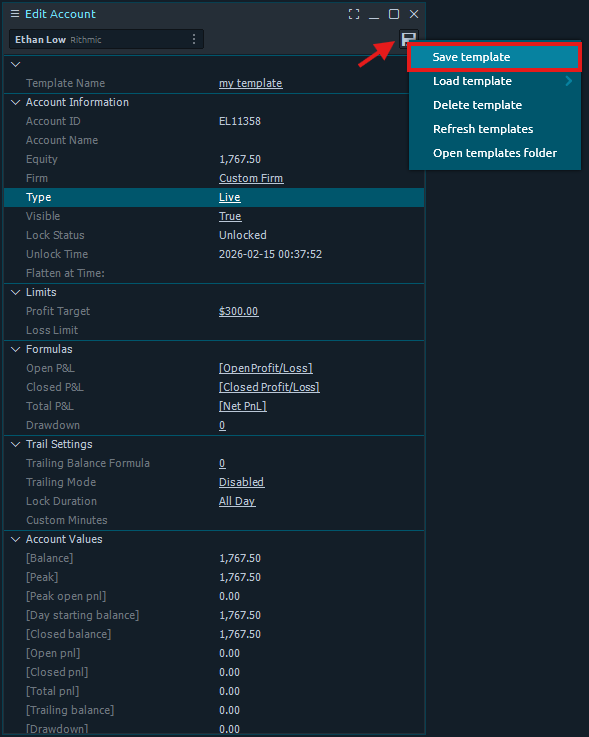
In the Edit Account window, enter a name for the template in the 'Template Name' field, click the save icon in the top-right corner, and select 'Save Template' to create a new template.
2
Load a Template from Edit Account
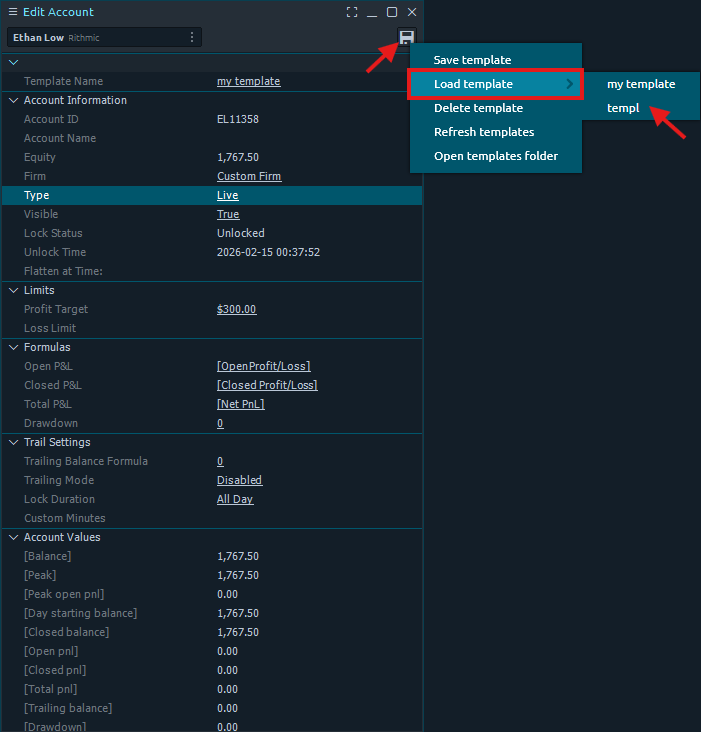
Click the save icon in the top-right corner of the Edit Account window and hover over 'Load Template' to reveal the saved templates and select the template you want to load.
3
Apply a Template from the Dashboard
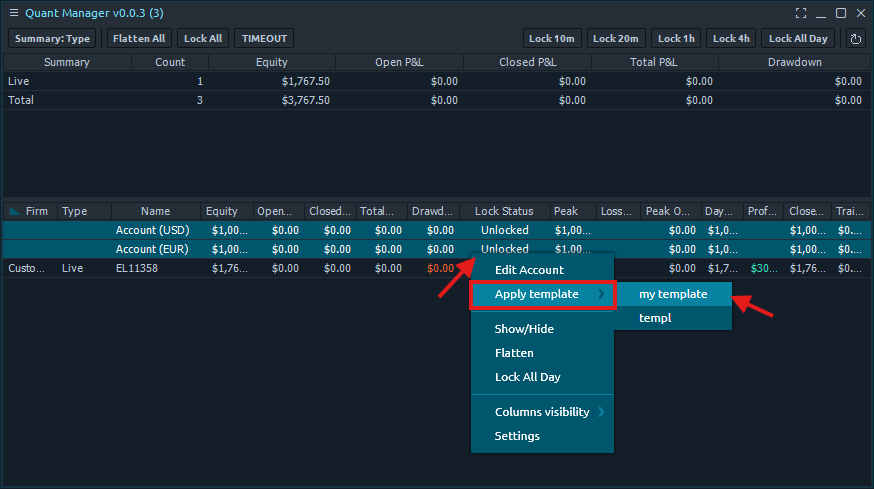
You can also load templates from the dashboard by right-clicking and selecting 'Apply Template'. Hold Shift to bulk-select or Ctrl to single-select accounts.
4
Delete a Template
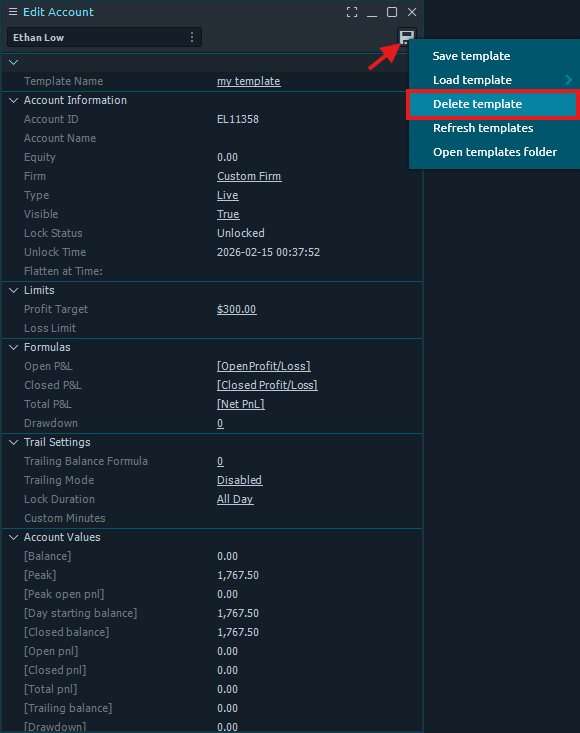
In the Edit Account window, click the save icon in the top-right corner and select 'Delete Template' to remove the currently loaded template.
5
Open the Template Folder
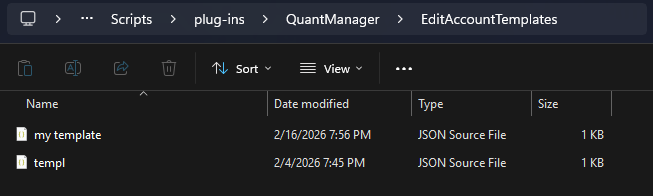
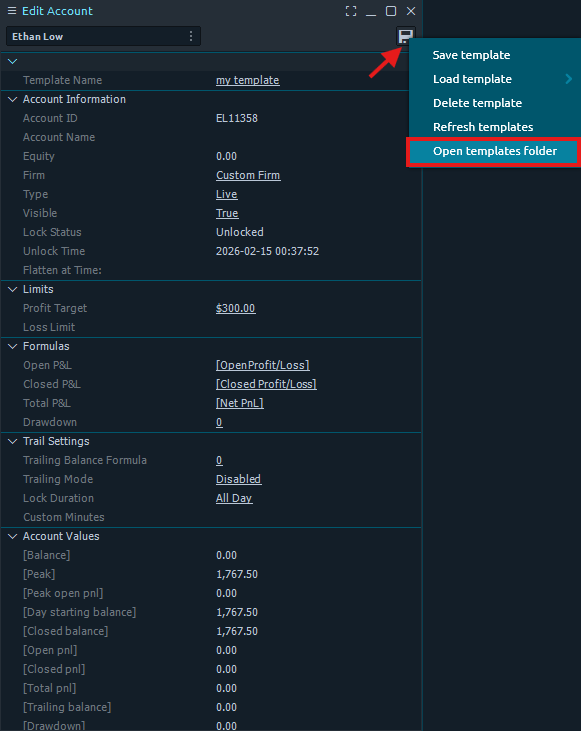
Click the ssave icon in the top-right corner and select 'Open Templates Folder' to open the template folder.
6
Import and Export Templates
You can import and export templates to and from the template folder. Templates are saved as JSON files and can be imported by dragging and dropping the file into the template folder.