Quick Start Guide
Get up and running with Quant Manager in just a few minutes using the Quant Manager installer.
1
Purchase Quant Manager
Click "Get Access" to purchase the lifetime license. You'll receive a download link with your license key in your email receipt immediately after payment. Email us if you do not receive your license key.
2
Download Installer
Download the Quant Manager installer from your email receipt or from https://github.com/ethandlow/QuantManagerBuild-Latest/raw/refs/heads/main/QuantManagerInstaller.exe
3
Install Quant Manager
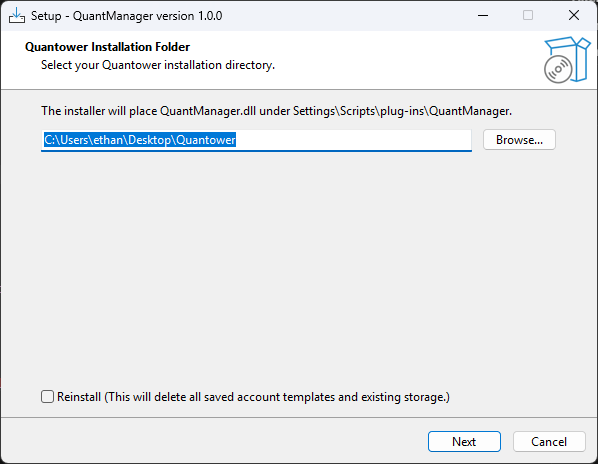
Run the installer and follow the on-screen instructions.
Note: The installer is not officially signed, so you may need to bypass security warnings in your antivirus software. If you are not able to run the installer, please follow the Manual Installation Guide.
Note: The installer is not officially signed, so you may need to bypass security warnings in your antivirus software. If you are not able to run the installer, please follow the Manual Installation Guide.
4
Open Quant Manager
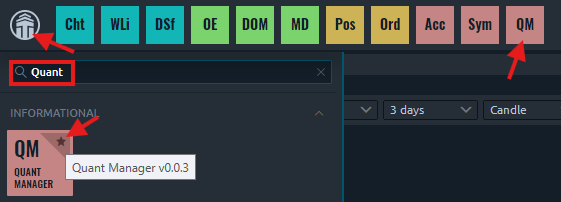
Click the Quantower logo in the top left corner of the Quantower window, and search for 'Quant Manager'. Click the star icon to pin Quant Manager to the toolbar, and click the icon to open Quant Manager.
5
Open Settings
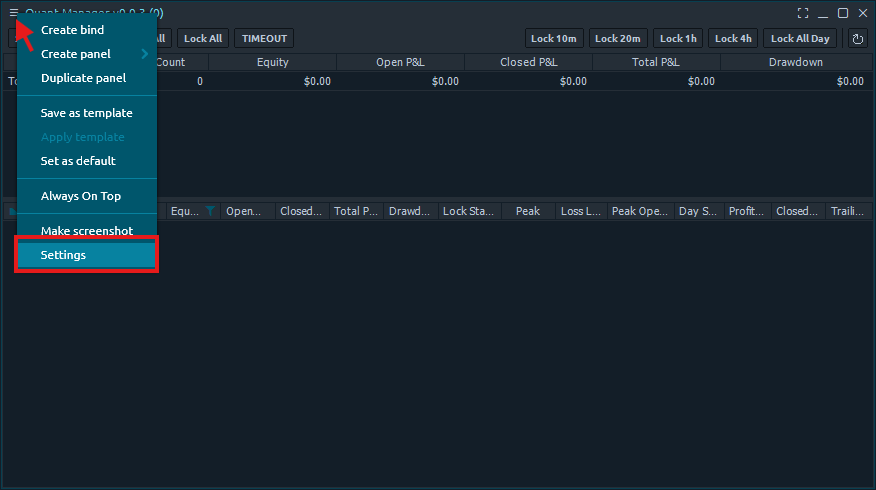
Click the three bars in the top left corner of the Quant Manager panel and select 'Settings'.
6
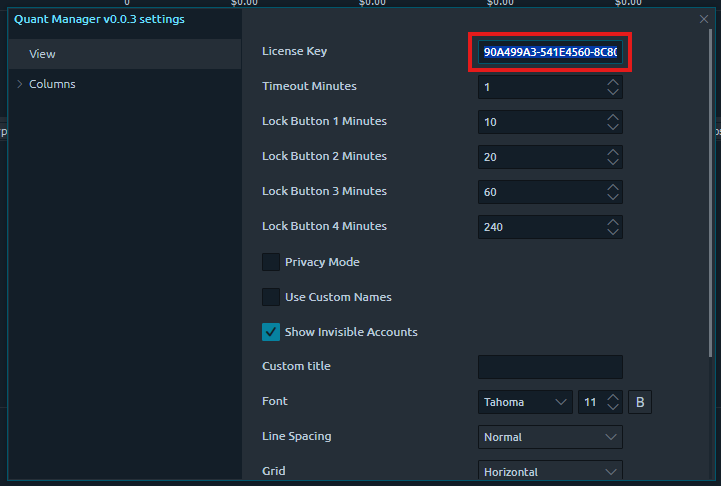
Activate Your License
Enter your license key in the settings panel to activate. You can find your license key in your Gumroad library or your purchase receipt.
7
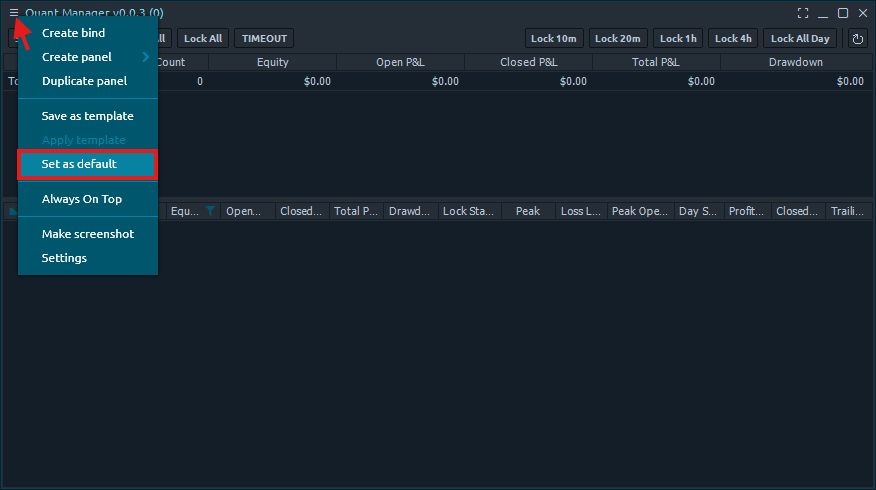
Set as Default
Click the three bars in the top left again, and click 'Set as default' to avoid entering your key each time you open Quant Manager.
8
Verify Activation
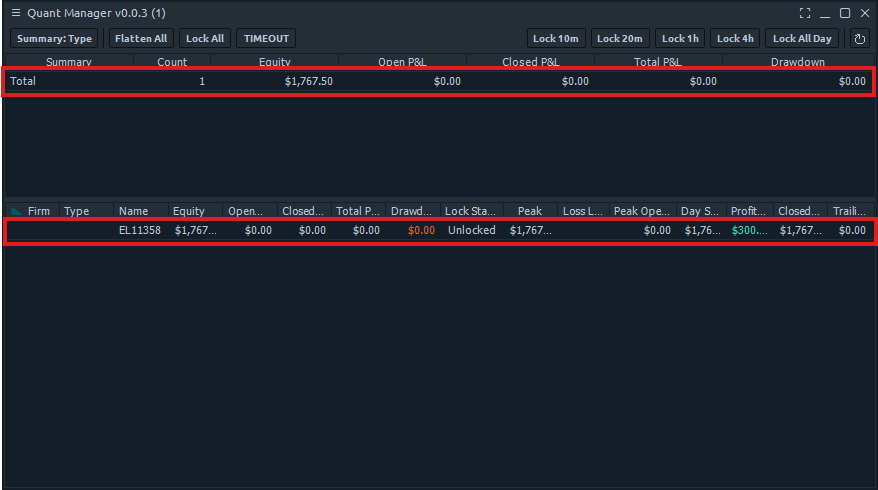
You can verify that your license is active if you are able to see the 'Total' row in the summary table. Once you connect to your connections, Quant Manager will automatically populate the accounts and summary tables. You're all set!