Changing Lock Durations
Configure how long accounts remain locked after a rule triggers.
1
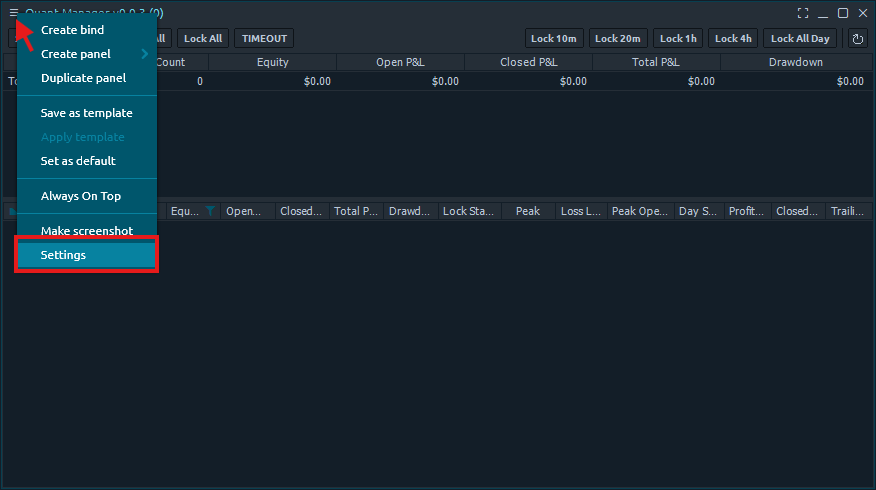
Open Settings
Click the three bars in the top left corner of the Quant Manager panel and select 'Settings'.
2
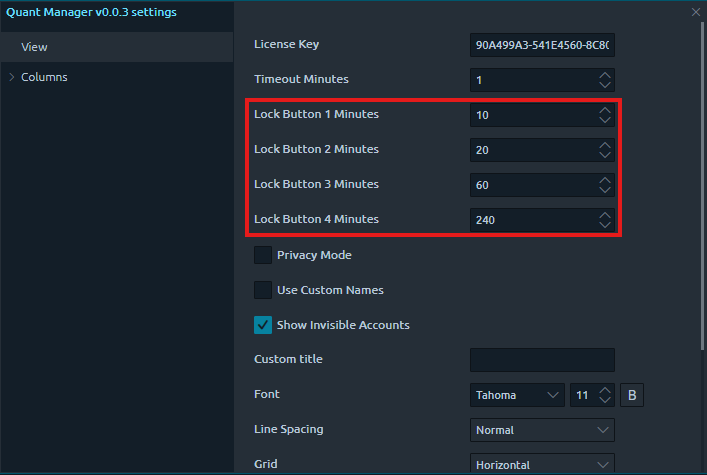
Set Individual Durations
You can set the lock duration for each lock button individually, giving you fine-grained control over how long accounts stay locked.
3
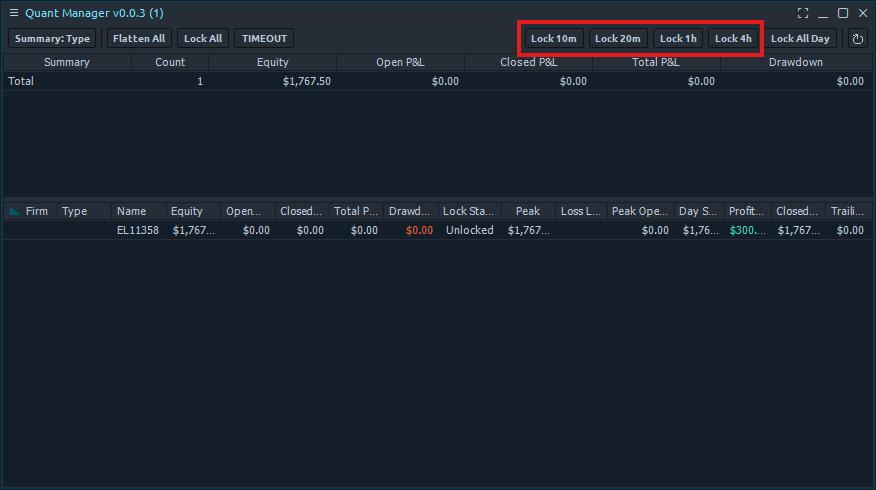
Use Lock Buttons
The lock buttons will appear in the Quant Manager panel when you have set the durations for the lock buttons. You can use them to lock accounts for a specific duration.