Locking Accounts
Select one or more accounts and lock them for a specified duration to prevent unwanted changes.
1
Select accounts
Click the row of the account you want to lock from the account table.
2
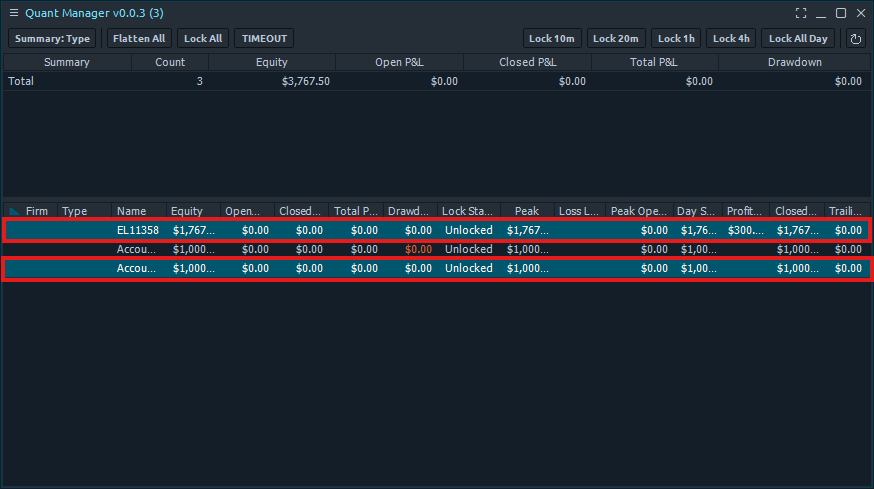
Select multiple accounts (Ctrl + Click)
Hold Ctrl and click on individual accounts to select multiple accounts. Selected accounts will be highlighted.
3
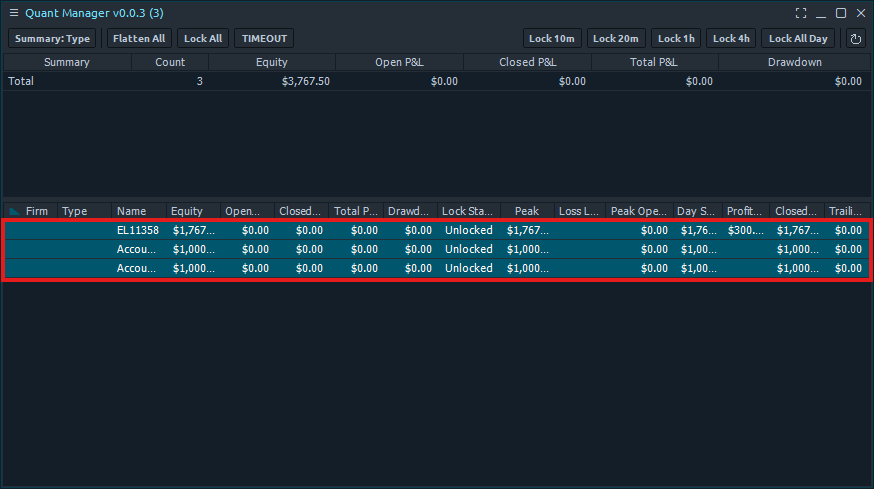
Select a range (Shift + Click)
Hold Shift and click to select a batch of consecutive accounts between your last selection and the account you click.
4
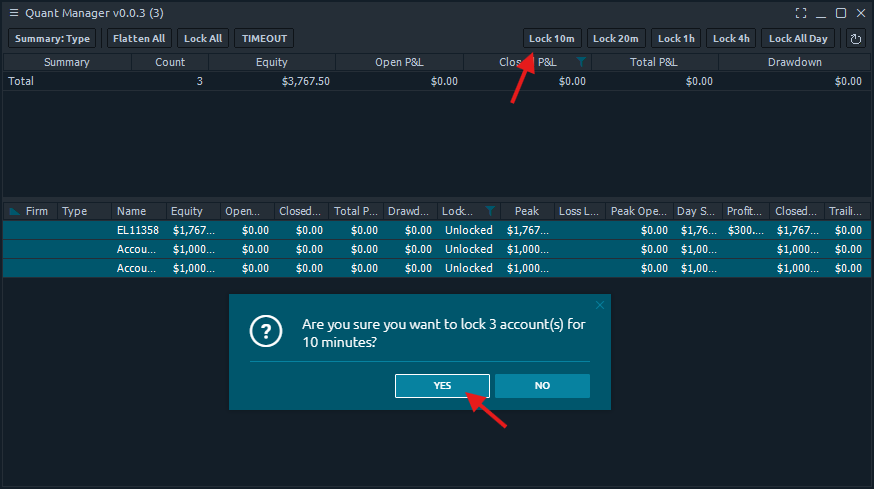
Click the lock button and confirm
Click one of the lock duration buttons (e.g. Lock 10m, Lock 1h) and confirm in the dialog to lock your selected accounts.