Using the Event Log
Learn how to use the event log to understand why an account was locked.
1
Check Lock Reasons
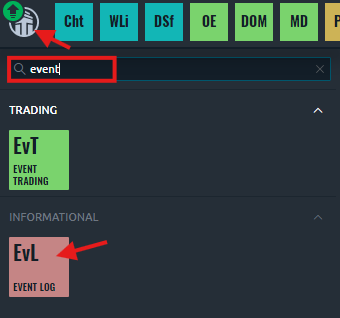
Quant Manager logs all events to the Quantower Event Log. Click the Quantower logo in the top left corner of Quantower, and open the Event Log plugin.
2
Check Logs
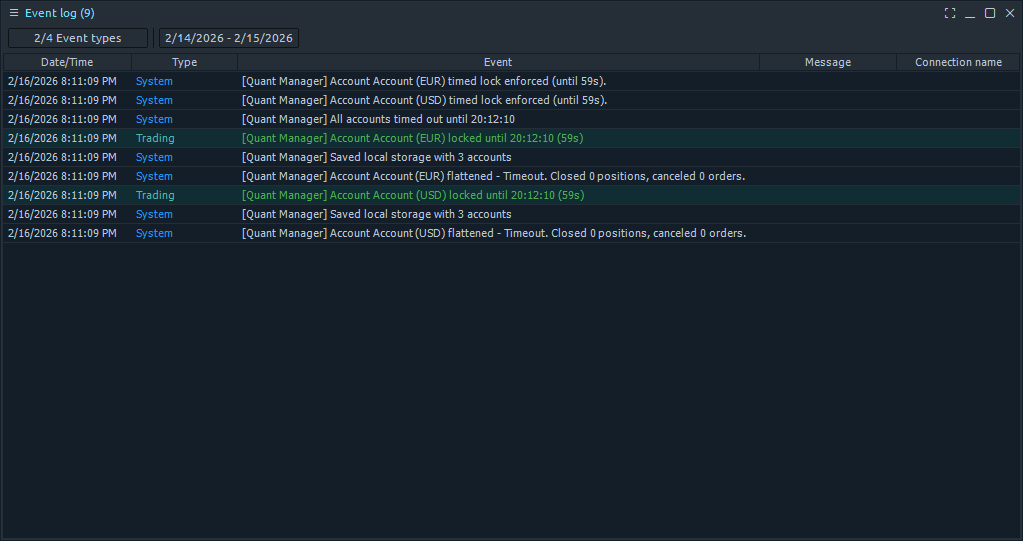
Look for events with the [Quant Manager] tag to see why an account was locked.