HomePricingDocsFAQsGet Access

Hiding Accounts

Hide accounts from the dashboard and show them again when needed.

1

Hide an Account

Right click an account in the dashboard and select 'Hide Account' to hide it from the dashboard.
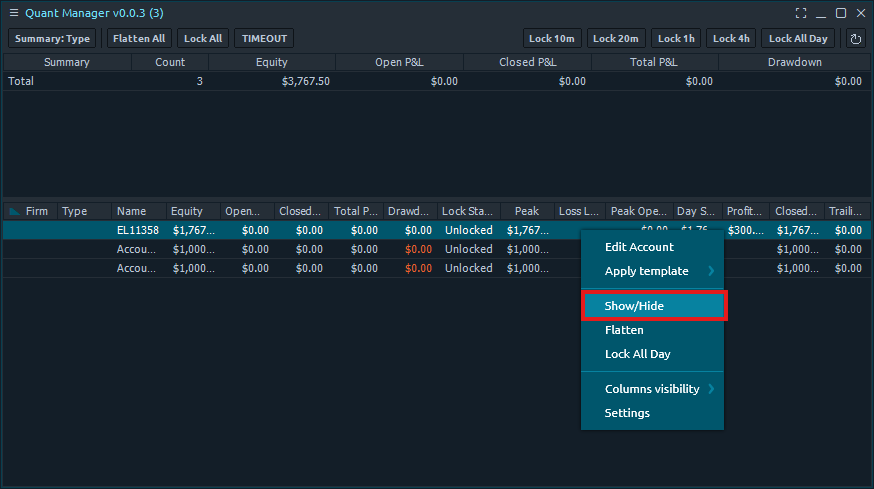
Hide an Account
2

Hidden Account Names

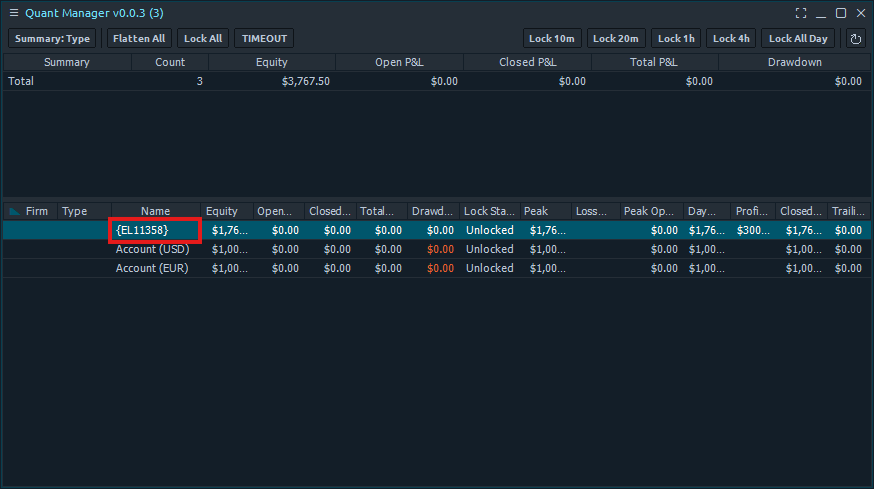
Hidden account names will be displayed with curly braces surrounding the account name in the dashboard and won't be visible when 'Show Invisible Accounts' is disabled.
Hidden Account Names
3

Show Hidden Accounts

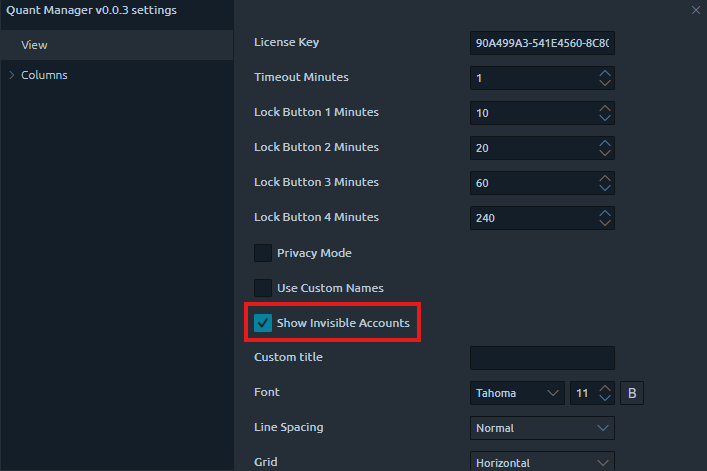
You can toggle 'Show Invisible Accounts' in the settings panel to show hidden accounts in the dashboard and unhide them.
Show Hidden Accounts